You can help support this website by buying me a coffee!

How to download the latest UniFi switch firmware and upgrade manually using SSH and CLI commands
You might want to upgrade UniFi switch firmware manually using SSH before adopting it, or if updating firmware using the Unifi controller fails.
Download the latest firmware file from the UniFi website
In this example, we are upgrading the firmware on a US-8-150W switch.
Ubiquiti - Downloads
https://www.ui.com/download/unifi-switching-routing/unifi-switch-8-150w
US-8-150W - Firmware - Download
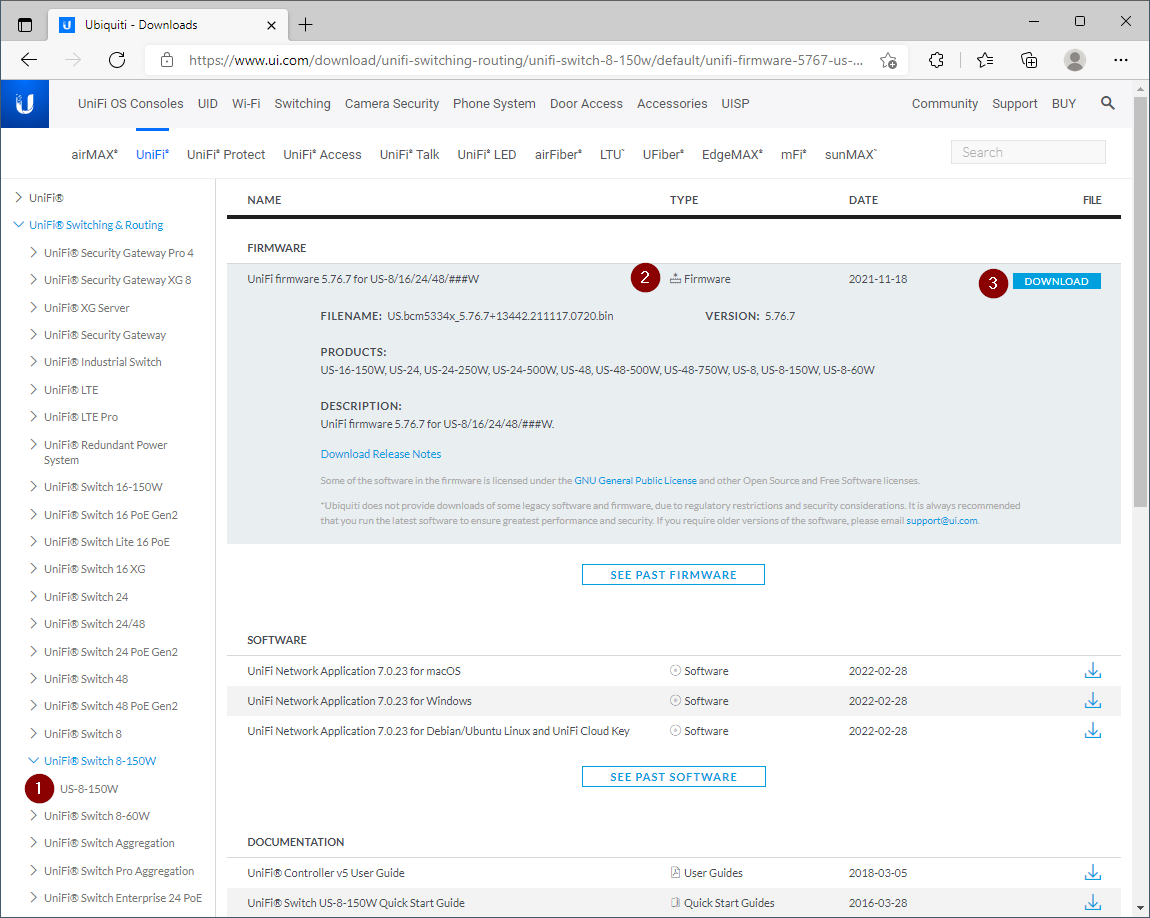
Download file

Connect to the switch using WinSCP on port 22

Transfer the firmware file to the switch /tmp folder

SSH onto the switch using Putty

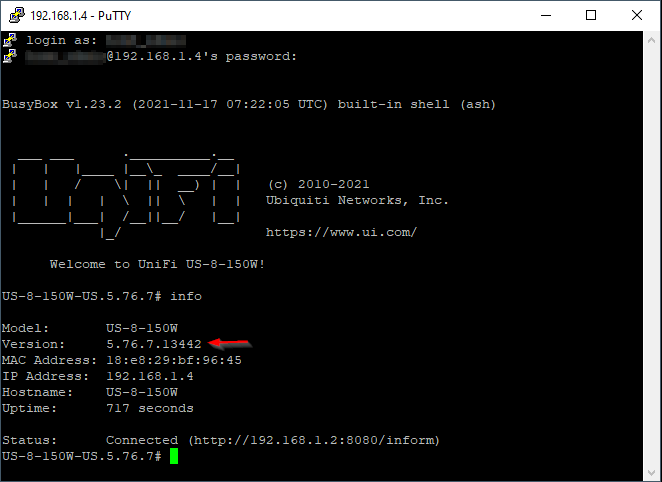
Check switch information
Check the switch model and current firmware version
info
# change into the tmp folder
cd /tmp

# rename the old firmware update file to fwupdate.bin.old
mv fwupdate.bin fwupdate.bin.old

# rename new firmware file to fwupdate.bin
mv US.bcm5334x_5.76.7+13442.211117.0720.bin fwupdate.bin

# update the firmware
syswrapper.sh upgrade2 &

The fwupdate.bin and fwupdate.bin.old files will get automatically removed from /tmp


Comments