You can help support this website by buying me a coffee!

How to load VirtIO storage drivers during Windows 10 setup on Vultr VPS
Tick Yes, reinstall this server
Then click Reinstall Server

The server will restart and boot from the Windows 10 install ISO
View console

Wait for Windows setup to launch, this might take a few minutes so be patient...

Windows setup will launch
Choose your language

When you get to this step, you'll see that no hard disk has been detected.
You'll need to load the VirtIO storage drivers so Windows can see the virtual storage device
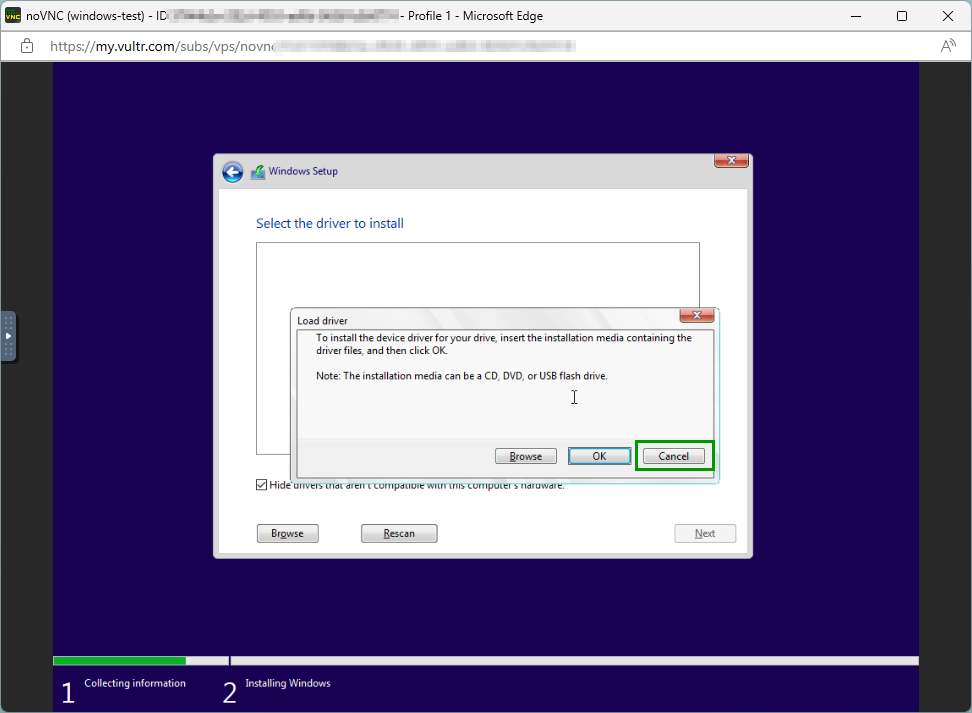
Click Load driver

Click Cancel
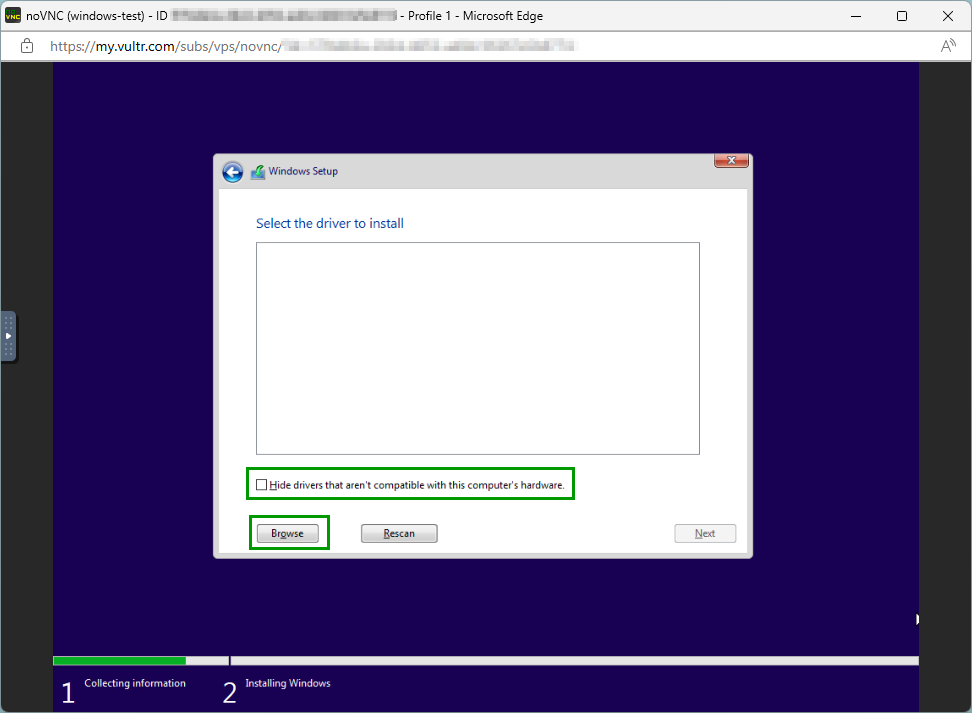
Untick Hide drivers that aren't compatible with this computer's hardware
Then click Browse
Select the \drivers\virtio\amd64\w10 folder

The VirtIO Windows 10 storage drivers will be installed
Click Next


Windows setup in progress

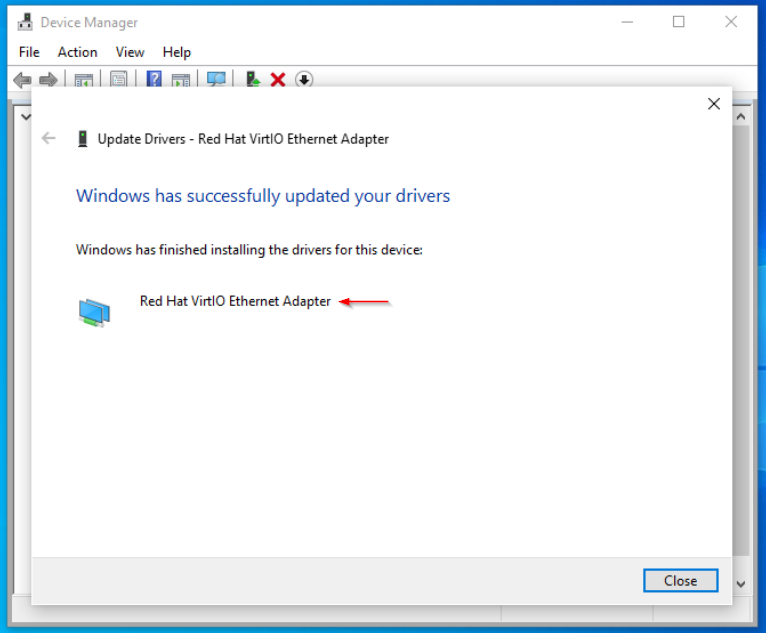
Once Windows setup has finished, you can install the missing VirtIO device drivers from the ISO.
Open Device Manager - right click Unknown device - Update driver
Browse my computer to drivers

Search for drivers in this location:
D:\drivers\virtio
Tick - Include subfolders

Repeat the steps to install the other missing device drivers
Comments